
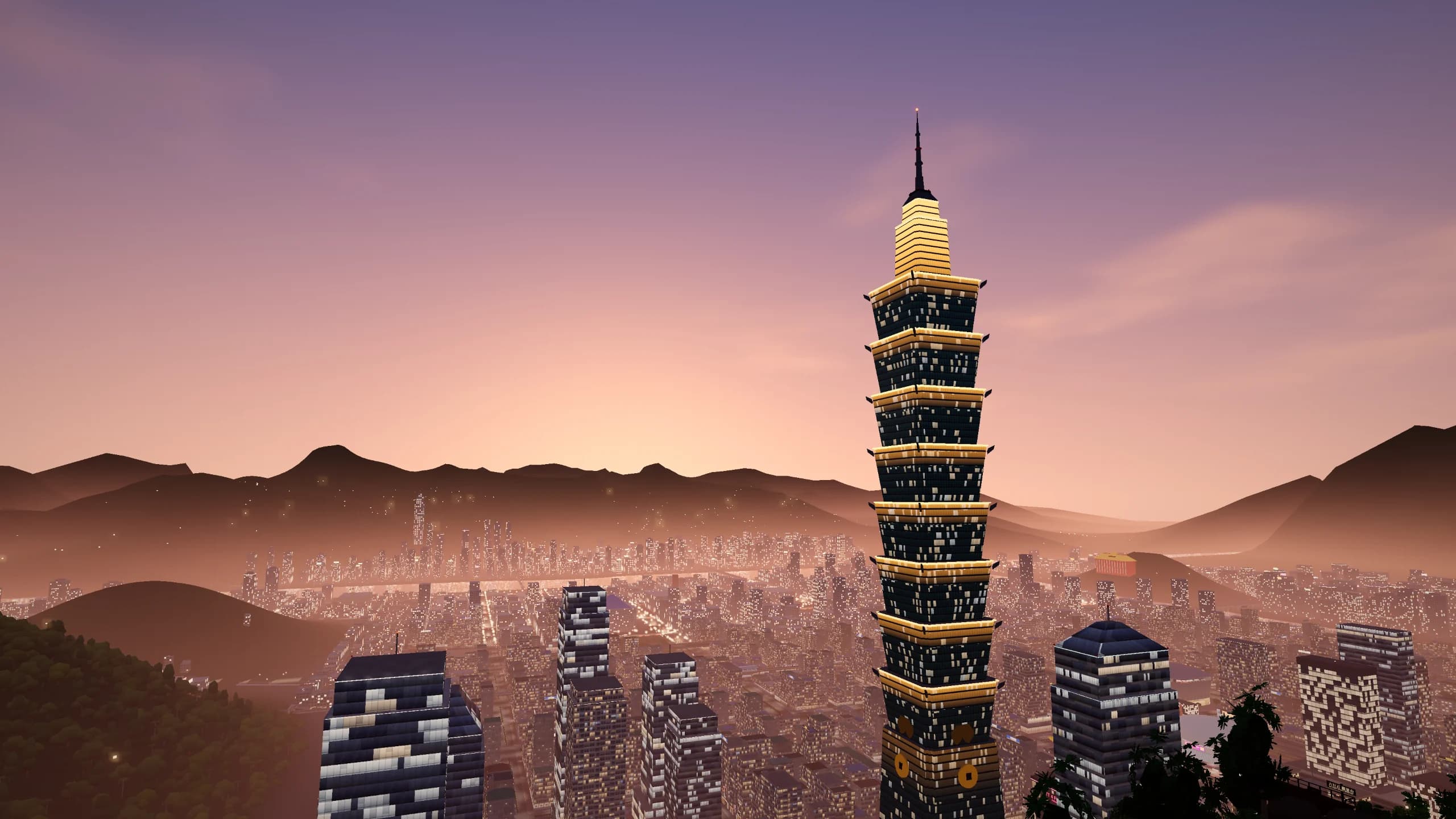
What is Taipei GTA?
It is an open-world browser game set in a condensed, fictional Taipei. The default language is Traditional Chinese, and the main menu can switch to English. Walk, ride a scooter, drive, take the MRT to another district, or open the in-game phone to pick up missions.
Streets use real Taipei road names, then fold them into the game map, so distances will not match the city you remember. Wanted stars bring the police. Weather changes how a ride feels. Convenience stores sell tea eggs that restore health. You start by choosing one of two characters: A-Jie and Xiaowen.
This is a parody. Signs and shops on the street are made up for the story. Taipei GTA is not a Rockstar game, and this site does not own the game it embeds.
How to start
- 1
Load the game and check the controls
Press Play above and wait for the game’s own loading screen to finish. From the main menu, look at characters, settings, and the control guide. Use a keyboard and mouse on a computer, and touch controls on a phone. For a gamepad, first make sure the browser recognizes it, then read the in-game button chart.
- 2
Walk first, then find a vehicle
Try W, A, S, and D to move and turn, and use the mouse to look around. Once the street feels familiar, walk up to a scooter or car and press F to get in. Test the accelerator and brake on a clear stretch of road. Space does different things on foot and behind the wheel.
- 3
Open the map and set a nearby destination
Press M to open the map and click a place you want to go. The first trip does not need to be the farthest one. A short route is an easier way to practice reading the road, turning, and parking. When you arrive, pick the next stop.
- 4
Check missions on the in-game phone
Press T to open the in-game phone for missions, the map, and the MRT. Read the prompt first, then go where the screen tells you. Whether a mission can start, how it ends, and what it pays are whatever the game shows.
Taipei GTA controls
These tables match the keyboard guide in the game. If the keys change later, follow the in-game control page.
On foot and general controls
| Action | Key | When to use it |
|---|---|---|
| Move | W A S D | Walk around and approach interactive objects |
| Look around | Mouse | See your surroundings and the way ahead |
| Sprint | Shift | Move faster on foot |
| Jump | Space | Jump while walking |
| Interact | E | Use whatever the on-screen prompt suggests |
| Switch weapon / reload | Tab / R | Follow the in-game notes for these |
| Map / phone / pause | M / T / Esc | Navigate, check missions, and open the pause menu |
Scooters and cars
| Action | Key | Tip |
|---|---|---|
| Get in / get out | F | Use it when you are next to a vehicle |
| Accelerate | W | Tap it first until the pickup feels familiar |
| Brake / reverse | S | Slow down before a turn, and adjust when parking |
| Steer | A / D | Look at the intersection, then turn early |
| Handbrake (drift) | Space | While driving. This is not the jump from walking |
| Horn / radio | H / Q | Sound controls while driving |
| Change camera / look back | V / C | Adjust the view and check behind the vehicle |
Scooter guide: steady first, then fast
Riding in Taipei GTA is more than holding the accelerator. When you first get on, look at the camera angle and which way the scooter faces. Tap the accelerator and check how A and D turn. The faster you go, the less time you have to read an intersection and correct. Braking before the turn is easier to control than fixing it in the middle of the bend.
Practice on a straight road
Pick a road you can see clearly and try starting, slowing down, stopping, and pulling away again. Remember that S is the brake or reverse. If you keep holding it after you stop, the vehicle rolls the other way.
Let the camera show the road
If the vehicle blocks the street, press V and try another camera. Find an angle that shows the road ahead, then go faster. At an unfamiliar junction, slowing down is easier than a series of big corrections.
Navigation is only a hint
Check the map for the destination, then go back to the driving view. Do not follow the route marker and miss the corner or obstacle in front of you. If you need to confirm the route, stop first and keep the ride at a pace you can control.
Save drifts for later
Space is the handbrake while driving. Get ordinary turns steady before you try a drift, and leave more braking room in the rain. This practice is only for controlling the game.
A scooter is a good way to look at the street on a short trip. A car is a different view and a different kind of steering. You do not have to arrive as fast as possible. Finding a pace that feels comfortable is part of an open-world game.
Exploring the city: from the corner to the skyline
The game builds its streets from Taipei imagery, including Ximending, night markets, Xinyi, and Taipei 101. Those places help you recognize where you are and plan a route. The map is a fictional city. Follow the game for the actual streets, distances, and how you get around.
Ximending and the streets: walk slowly, then look
On a first trip, start by learning how corners connect. Walking makes it easy to stop and look. A scooter lets you compare how different roads turn and what you can see. If you like city games, walk a block once and ride it once.
Night markets: look for everyday Taipei details
Night markets are one of the easiest images to recognize in a Taipei setting. Watch the signs, stalls, and the feel of the street, and see how the game turns local life into a place you can move through. The game says every brand is a fictional parody, so read those names as part of the story.
Taipei 101 and Xinyi: use a landmark to get oriented
A large landmark helps when a district is new. Treat Taipei 101 as a visual target, then press M and set it as a destination. That is a useful way to compare the direction on screen with the position on the map. When you get close, get out and look again. Exploring does not mean staying in the driver’s seat.
Map, phone, and MRT: another way to move
M opens the map and sets a route. T opens the phone, which includes missions and the MRT. The game says station entrances can move you between districts. To try another area, check the MRT on the phone, then follow the game to the station. That is another way to get around besides riding the whole way.
Computer, phone, or gamepad?
Computer: keyboard and mouse for driving and the camera
On a computer, move with the keyboard and look around with the mouse. After the game loads, click the game view so keys do not only scroll this page. Fullscreen makes the road easier to watch. When you leave fullscreen, the guide and control tables are still below.
Phone and tablet: virtual stick and touch buttons
The game’s touch guide uses the left stick to move and a swipe on the right to look around. While driving, use the accelerator, brake, and the other on-screen buttons. Turn the device sideways so the road and the controls have more room. Screen shape and performance differ by device. If the view is small, use Fullscreen.
Gamepad: read the in-game chart first
The control page in the main menu has a gamepad tab. After you connect one, confirm that the device and browser support it, then check the sticks and buttons on that page. Labels differ between gamepads. Do not treat the keyboard shortcuts as the gamepad layout.
Performance and loading: give the city time
A browser game does not need an install, but it still downloads assets. The first load depends on your connection and device. If the picture stutters, close other heavy tabs and lower the game’s graphics. If loading stays stuck, check the connection and press Reload in the player.
If something goes wrong, check this first
Keys scroll the page
Click the game view before you play. If you were reading the guide below, keyboard focus may still be on this page, so Space or the movement keys may not reach the game.
The page loaded, but the city is not there
Opening this page and loading the game’s assets are two steps. Watch the progress in the player. If nothing changes, check the connection and reload the game once.
The phone screen is too small
Turn the phone sideways. If the browser cannot fullscreen a page, you can still play in the player on this page.
Progress is missing in another tab
Go back to the browser and the play entry you were using. Storage can be separate across sites, private windows, and browsers. Do not clear browsing data just to fix the picture. That can delete the game save too.
A shared link has no preview image
The platform has to fetch the public URL and image. The share is this guide page, and the preview is Taipei artwork. A platform cache may not refresh right after an update.
Taipei GTA FAQ
What is Taipei GTA?
Taipei GTA is a Taipei open-world game you play in the browser: walk, ride a scooter, drive, follow the map, and take missions on the in-game phone. You can start above. The control guide on this page is in English.
Is it free? Do I need to download or register?
Yes, and you do not need an account. Press Play and it loads on this page. This site does not charge and does not ask you to sign in first. It is not an offline game. The first visit still downloads the city. A page that asks for a launcher, an emulator, or an installer is not this game.
Who made it, and what is it called?
The game’s own title is 《臺北狂飆》, and the English name is TAIPEI RUSH. It is an independent game published under the name aicodewithme. Taipei GTA is the name people search for. This guide is not affiliated with that developer or with Rockstar Games.
Can I play on a phone or a gamepad?
Yes. The game documents keyboard and mouse, gamepad, and touch. On a phone, use landscape: the left stick moves you, a swipe on the right turns the camera, and driving switches to on-screen accelerator and brake. For a gamepad, confirm the browser and device see it, then use the gamepad chart in the main menu. Do not copy the keyboard shortcuts onto the pad. How smooth it feels depends on the device and browser.
How do I move, ride, open the map, and take a mission?
W, A, S, and D move you, the mouse looks around, and E interacts when the screen says so. Press F next to a scooter or car to get in or out. While driving, W accelerates, S brakes or reverses, A and D steer, and Space is the handbrake, not the jump from walking. M opens the map so you can set a destination. T opens the in-game phone for missions and the MRT. The other keys are in Taipei GTA controls above.
How many missions are there?
There is no fixed number. Missions appear as you play, and the map is still being added to. A number you see online only matches that week’s build. Press T and see what is available now.
Why is the screen black, slow, or unresponsive?
Opening this page and loading the game are different. The city downloads after the page appears, so a black screen on a slower connection is normal for a while. Wait for the game’s own progress, click the game view so the keyboard reaches it, and close other heavy tabs. If nothing changes after a few minutes, press Reload, or open the game in a new tab.
Does progress follow a share or another device?
No. Share only sends this page’s URL. It does not read a score or a save. The save stays in this browser. A different device, browser, private window, or clearing site data means starting over. New Game also clears the current save.
Is this an official Rockstar game?
No. It is an independent browser game about Taipei. It is not affiliated with, endorsed, or authorized by Rockstar Games or Take-Two Interactive. This site is an independent guide. It embeds a playable version and does not own the game. Names and shops on the street are fictional parody. Before you press Play, the player shows the game cover.